
 by
by How to Build a Cinematic AI Video Without Knowing 3D
There’s a particular kind of magic in movies — that slow dolly-in on a character’s face right as they realize the truth, the way light falls through venetian blinds in a noir thriller, the sweeping drone shot that opens an epic. For decades, that magic required a crew of fifty, a six-figure budget, and someone who could actually operate Blender without crying.
Not anymore.
Today’s AI video tools have quietly replaced the entire 3D pipeline — the modeling, rigging, lighting, and rendering that used to take teams of specialists months to pull off. You don’t need to know what a “normal map” is. You just need to know what a good shot feels like. Here’s how to actually get there.
1. Think Like a Director, Not a Technician
Before you touch a single tool, write a shot list. Not a script — a shot list. Cinematic language is built on a small vocabulary: wide establishing shots, close-ups, low angles for power, high angles for vulnerability, slow push-ins for tension.
For each beat of your idea, jot down three things: the framing (wide / medium / close), the camera movement (static / pan / dolly / handheld), and the mood (warm, sterile, ominous, nostalgic). This is the single biggest lever for making AI video look cinematic instead of looking like a generic AI clip — the model isn’t guessing your intent, you’re directing it.
2. Design Your World in Stills First
Jumping straight to video generation is how you end up with inconsistent characters and flickery, off-model scenes. The pros build a visual bible first — a handful of AI-generated still images that lock in character design, wardrobe, color palette, and setting.
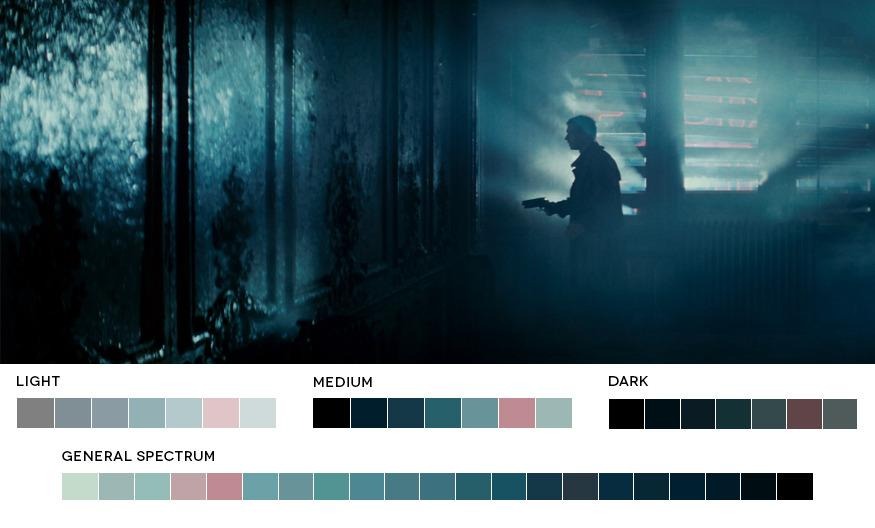
Notice how a single, consistent color grade — teal shadows, amber highlights, whatever your story calls for — instantly makes disconnected shots feel like they belong to the same film. Bake that grade into your reference stills’ prompts (mention specific lighting: “golden hour rim light,” “cold fluorescent overhead,” “candlelit warm glow”) and every generated clip downstream will inherit that DNA.
A quick lesson from real cinematography
Colorists and cinematographers often break a frame down into its dominant palette to understand why a shot feels the way it does. A tense close-up leans on cold, desaturated blues; a moody interior might mix warm skin tones against a cool, foggy background. Studying palettes like this — even briefly — trains your eye to write better prompts.
3. Animate With Camera Language, Not Just “Make It Move”
This is where most beginners undersell themselves. Instead of a vague prompt like “a woman walks into a room,” borrow real cinematography terms:
- “Slow dolly-in on her face, shallow depth of field, background softly blurred”
- “Low-angle tracking shot following his feet through rain-soaked streets”
- “Static wide shot, subject enters frame from the left, natural window light”
Modern text-to-video and image-to-video tools have been trained on enormous amounts of real film footage, so they respond strongly to actual film vocabulary. Speaking their language — literally — is the fastest shortcut to a cinematic result.
4. Stitch, Don’t Just Generate
No single AI clip is your movie. The craft is in the edit. Generate multiple takes of each shot, keep only the ones with clean motion and no visual glitches, and cut between them with intention — a hard cut for urgency, a slow dissolve for a passage of time.
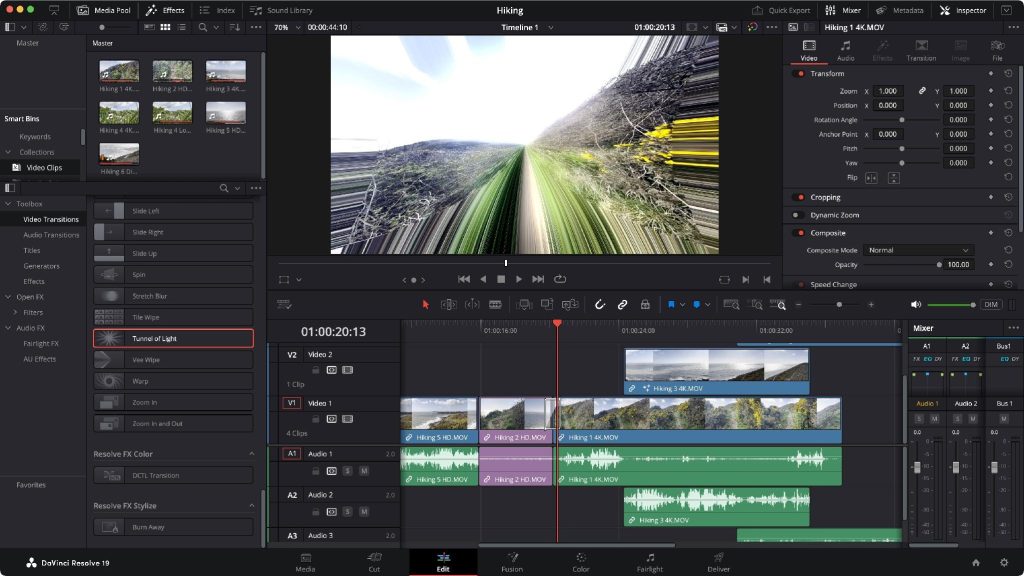
A free editing software like DaVinci Resolve (which now bakes AI tools directly into its workflow) is more than enough to assemble your clips, add a consistent LUT across the whole timeline, and smooth out any jarring transitions.
5. Sound Is Half the Movie
This is the step everyone forgets. A whisper-quiet room, a rising string swell, footsteps on gravel — sound sells “cinematic” as much as any visual does. Layer in ambient background noise, a simple score, and light foley, even if it’s just stock sound effects. Silence, or worse, no sound design at all, is the single fastest way to make an otherwise gorgeous AI video feel amateur.
The Real Skill Isn’t Software — It’s Taste
Here’s the honest truth: the tools have gotten good enough that the bottleneck isn’t technical skill anymore. It’s taste — knowing what a great shot looks like, what makes an edit land, what a scene needs emotionally. That’s something you can build by simply watching more films with a critical eye, not by learning polygon counts.
So open a blank shot list, pick a mood, and start directing. You already know more about cinema than you think — you’ve just never had the crew. Now you do.